Game Library Structure and Categories
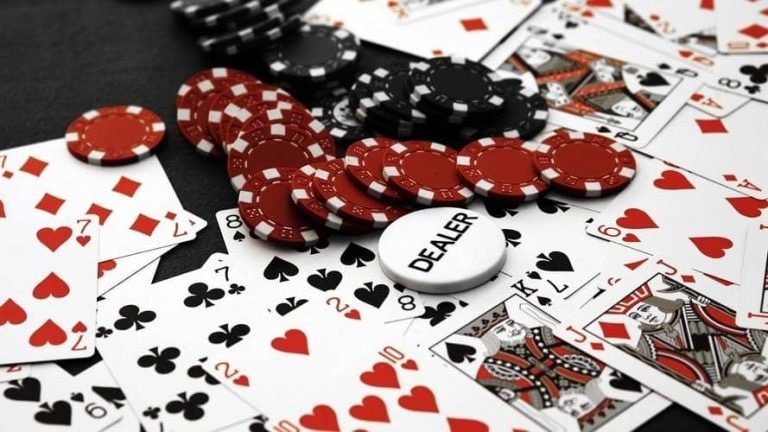
Our Game Library on brojp link contains four main categories. Each category groups related games together so you can browse by interest rather than scrolling through hundreds of titles alphabetically.
- Slots: Fast-paced games like Aviator (instant-result multiplier game), Fortune Tiger (traditional reel-based slot), Sweet Bonanza (cluster-pay mechanic), Gates of Olympus (volatile high-potential game), and Mahjong Ways (Asian-themed cascading symbols). Each slot has its own paytable, return-to-player percentage, and bonus features. You can adjust bet size per spin and trigger bonus rounds during play.
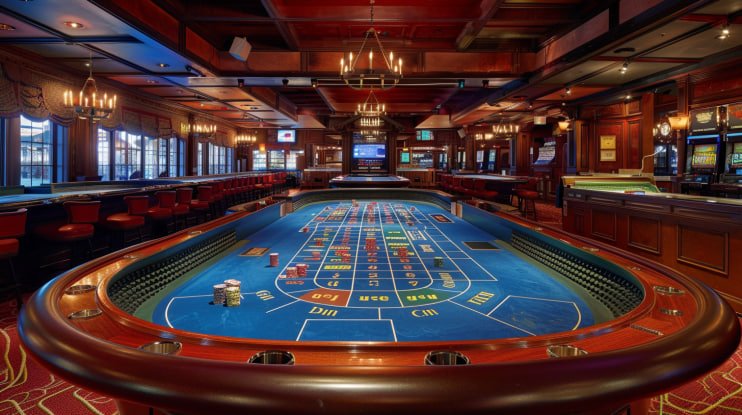
- Live Dealer: Multi-camera Evolution Gaming studios where real dealers manage blackjack, roulette, baccarat, and Dragon Tiger (Asian live card game). You interact with live dealers in real time, place bets, and see results instantly. Tables are segregated by bet limits so you can find one matching your stakes.
- Sports: Football leagues and tournaments including Liga 1, Piala Indonesia, Piala AFF, Champions League, and Premier League. You can browse upcoming matches, view current odds, and place markets. Basketball, badminton, and MotoGP rounds are also available depending on the season.
- Esports: Mobile Legends Professional League (MPL), Free Fire tournaments, and PUBG Mobile competitions. Markets cover match outcomes, tournament winners, and in-game milestones, with odds updated in real time as tournaments progress.
Within each category, you can filter by popularity, newest releases, volatility (for slots), or team/league (for sports). The search function lets you type a game name or team and jump directly to what you're seeking.

On Android, the Game Library loads as a scrollable grid of game tiles. Each tile shows the game title, thumbnail image, and a quick-play button. Tap any tile to open the game or view detailed rules. The layout adapts to your phone's screen size, so portrait and landscape orientations both display clearly.
iOS users visit brojplink.id in their browser and see the same Game Library, fully responsive to their device. Navigation is touch-optimized, and tap targets are large enough to hit easily without accidental clicks.
Key takeaways
- Game Library on brojp link contains four main categories: Slots, Live Dealer, Sports, Esports
- Search and filter functions help you find specific games or markets quickly
- Every game is playable immediately after account funding
- Account balance flows seamlessly across all categories
- Mobile (Android app and iOS browser) displays identical game catalogs
Funding Your Account to Access the Entire Game Library
Before you can play any game in our brojp link Game Library, you need to deposit funds into your account. We support nine payment methods tailored for Indonesian players:
Digital Wallets: DANA, e-wallet, mobile banking, and local payment offer subject to verification. Open your wallet app, authorize the transfer to brojp link, and your balance updates within seconds. online payment works similarly for users in eastern Indonesia and Medan.
QR Code: e-wallet is a universal QR standard supported by multiple banks and wallets. Scan the code we display on the deposit screen, authorize from any compatible app, and funds land instantly.
Bank Transfer: mobile banking, local payment, online payment, and e-wallet users can transfer from their personal accounts to a virtual account number we provide. Once your bank clears the transaction—typically within a few minutes to one business hour—we credit your brojp link balance.
All deposits are processed instantly or within the timeframe your payment provider requires. We charge no deposit fees, so the amount you send is exactly what you receive in your Game Library account. Once funded, your balance is available across all categories: you can play a slot game in the morning, switch to a live-dealer table at lunch, then place a Liga 1 market in the evening—your balance flows seamlessly between them.
Navigating Games on Mobile Devices
On Android, download the brojp link app, log in with your credentials, and tap Game Library. The interface displays category tabs at the top (Slots, Live Dealer, Sports, Esports) and a grid of games below. Swipe horizontally to explore more titles within a category, or tap a category tab to jump to all games in that section.
Each game tile shows the title, a preview image, and sometimes a volatility badge (for slots) or an odds indicator (for sports). Tap a tile to open the game. If it's a slot, the reels load immediately and you can begin spinning. If it's a live-dealer table, you're connected to a dealer stream. If it's a sports market, you see the fixture details and available odds.
The iOS experience is identical but accessed via brojplink.id in Safari or Chrome. The mobile web adapts to your iPhone or iPad screen, buttons scale appropriately, and gameplay runs as smoothly as the Android native app.
Account Verification and Your Game Library Access
Creating your brojp link account and accessing the Game Library is immediate. However, when you request your first withdrawal, we require Know Your Customer (KYC) verification. This step protects both you and our platform.
We ask for your legal name, date of birth, ID number, and proof of residence (utility bill or recent bank statement). You upload these documents through your account dashboard on your phone. Our system encrypts them separately from your Game Library activity, so your personal data never appears in gameplay logs or session records.
Verification typically completes within a few business hours. Once your account status changes to "Verified," all future withdrawals from your Game Library winnings process without additional KYC steps. We never share your verified information with third parties—it's stored encrypted and used only for compliance and withdrawal processing.
Withdrawals from Your Game Library Balance
Withdrawing your Game Library winnings or deposited balance is a four-step process:
-
1
Request submissionStep 1
In brojp link, tap Wallet > Withdrawals, enter your desired amount, and select your payment method (mobile banking, local payment, online payment, etc.). Confirm your request.
-
2
Verification reviewStep 2
Our team verifies your KYC status, Game Library account history, and withdrawal method. We ensure no holds or restrictions apply and confirm your account is in good standing.
-
3
ProcessingStep 3
Once verified, we queue your payout for transfer to your selected payment method. e-wallet and mobile banking typically complete within minutes; bank transfers may take up to one business day.
-
4
ConfirmationStep 4
You receive a notification once funds land in your wallet or bank account. Your Game Library balance reflects the withdrawal immediately.
We charge no withdrawal fees. However, your payment partner (bank or wallet) may apply standard service charges—these would be deducted by them, not by brojp link.
Game Library Across Seasons and Events
Our Game Library rotates and expands with seasonal events. During Liga 1 season, football markets are featured prominently. During Piala Indonesia or Piala AFF tournaments, dedicated sections highlight match schedules and odds. Around Idul Fitri or Idul Adha, we may feature special-event games or markets tied to cultural moments.
New slot games and live-dealer tables are added regularly, and they appear in the Game Library with "New" badges so you can discover them easily. Esports markets update continuously as tournaments progress—Mobile Legends playoff rounds, Free Fire seasonal competitions, and PUBG Mobile circuits all rotate through the Game Library during their respective schedules.
Data Usage and Mobile Performance
Our Game Library interface is optimized for low bandwidth. Browsing the library uses minimal data—thumbnail images are compressed, and navigation between categories is lightweight. Individual games (slots, live tables, sports markets) use data only when you actively play or place markets.
Slots like Aviator consume roughly 100-300 kilobytes per spin. Live-dealer streams use variable bandwidth depending on video quality—you can adjust quality settings in your account preferences to balance visual clarity against data usage. Sports market browsing uses only kilobytes per view. Overall, a full Game Library session from Bandung, Jakarta, Surabaya, or Medan can run on well under 20 MB, making it sustainable even on limited mobile data plans or during peak network congestion.